IPTV for sports is the easiest way to follow football, Formula 1, the NBA, the NFL, UFC and many more events on one screen. This guide explains how IPTV for sports works, what you need for smooth live matches, which devices and apps give the best picture, and how to get ready before a big game in 2026.
Why choose IPTV for sports in 2026?
Sports fans have more competitions to follow than ever. Leagues, cups and tournaments are spread across many channels, and following your team often means juggling several apps. IPTV for sports brings these channels into one organised list, so you can switch from a football match to a race or a fight in a couple of clicks.
Here is why so many fans now use IPTV for sports instead of traditional cable or satellite:
- One place for everything. Live sports channels from many countries sit in clear categories.
- Watch on any screen. Smart TV, Firestick, Android box, phone, tablet or computer.
- HD, Full HD and 4K. Many sports channels are available in high quality for a sharp picture.
- TV guide included. The electronic programme guide shows what is on now and next, so you never miss kick-off.
- No dish and no cables. All you need is a stable internet connection.
- Flexible plans. Choose a period that fits your season instead of a long contract.
If you are new to the technology, our guide What is IPTV? explains the basics in simple words.
Sports you can follow with IPTV
A good IPTV for sports service covers far more than football. Here are the main categories most fans look for.

Football
Football is the number one reason people look for IPTV for sports. Domestic leagues, European competitions, international friendlies and qualifiers are followed by millions every weekend. With sports channels from many countries in one list, you can follow your local league and the big European games from the same app.
Motorsport
Formula 1, MotoGP and other racing series run almost every other weekend from spring to winter. Races start at different times depending on the country, so the TV guide is very useful for checking start times in your own time zone.
American sports
The NFL, NBA, NHL and MLB are followed around the world. Many games start late in the evening or at night in Europe and Africa, so recordings and catch-up, where your app supports them, make life easier.
Combat sports
UFC, boxing and other fight nights are among the most watched live events. Main cards often start late, so a reliable stream is important when the big fight finally begins.

Tennis, cricket, rugby and more
Grand Slam tennis, cricket series, rugby, handball, cycling, golf and athletics all have loyal fans. A wide channel list means you can follow niche sports that are hard to find elsewhere.
What you need for IPTV sports streaming
Getting started with IPTV for sports is simple. You only need four things:
- An IPTV subscription with a good list of sports channels. You can compare our IPTV plans to find the right period.
- A compatible device such as a Smart TV, Amazon Firestick, Android TV box, phone or computer.
- An IPTV player app like TiviMate, IBO Player Pro or IPTV Smarters.
- A stable internet connection, ideally with a cable to your TV or streaming device.
Our IPTV setup guide walks you through installation on every popular device.
Internet speed for IPTV for sports
Live sport is the most demanding thing you can stream. The picture moves fast, the camera follows the ball across the pitch, and every second counts. That is why your connection matters more for IPTV for sports than for films or series.
| Quality | Recommended speed | Best for |
|---|---|---|
| SD | 8 Mbps or more | Phones and small screens |
| HD (720p) | 15 Mbps or more | Tablets and older TVs |
| Full HD (1080p) | 25 Mbps or more | Most Smart TVs and Firestick |
| 4K (2160p) | 50 Mbps or more | Large 4K TVs and premium boxes |
These numbers are per screen. If two people watch different matches at the same time, add the speeds together. Also remember that other people in your home may be gaming, downloading or on video calls during the game.
Wi-Fi or Ethernet?
Whenever you can, connect your TV or streaming box with an Ethernet cable. A cable gives a steady connection that does not drop when a neighbour’s Wi-Fi gets busy. If a cable is not possible, use the 5 GHz Wi-Fi band, keep the router close to the TV, and avoid walls and large metal objects between them. A Wi-Fi mesh system or a powerline adapter can also help in large homes.
Check your speed at match time
Your connection can be fast in the morning and much slower on Saturday evening when everyone in your area is online. Run a speed test on the same device you watch on, at the time you usually watch. If the result is close to the minimum, choose the HD version of the channel instead of 4K for a smoother picture. For a full list of fixes, read our guide on how to fix IPTV buffering.
Best devices for IPTV for sports
Almost any modern device can play live sport, but some give a smoother, sharper experience than others. Here is how the most popular choices compare for IPTV for sports.
Amazon Firestick 4K
The Firestick is small, affordable and very popular. The 4K models handle high quality sports channels well and support apps like TiviMate and IPTV Smarters. Plug it into an HDMI port and you are ready. See our step-by-step guide to IPTV on Firestick.
Android TV boxes
Good Android TV boxes, such as the Nvidia Shield or recent Google TV devices, offer strong processors, Ethernet ports and lots of storage. They are a great choice if you watch a lot of live sport and want fast channel switching.
Smart TVs
Samsung, LG and Android Smart TVs can run IPTV apps directly, so you do not need extra hardware. Use an Ethernet cable if your TV has a port. Our guide to IPTV on Smart TV explains which apps to install.
Phones, tablets and laptops
Mobile devices are perfect for following a second match, watching on the go or keeping an eye on a race while you cook. Battery and screen size are the only limits.
Best apps for IPTV for sports
The app you use decides how easy it is to find a match, how fast channels switch and how the TV guide looks. These are the favourites among sports fans:
- TiviMate: a clean TV-style interface, a full-screen guide, favourites and recordings with the premium version. Many fans see it as the best app for IPTV for sports on Android devices.
- IBO Player Pro: works on Smart TVs and many other devices, with a simple menu and quick setup.
- IPTV Smarters: easy to use on phones, tablets and Firestick, with separate sections for live TV, movies and series.
- Hot Player, Vivo Player and Cap Player: lightweight players that run well on Smart TVs.
Need help choosing? Our setup guide includes a list of the top 10 IPTV apps, and you can also buy a player activation directly from us.
Matchday checklist for IPTV for sports
Nothing is worse than a frozen screen when your team is about to score. Follow this simple checklist about an hour before a big game and your IPTV for sports setup will be ready.
- Restart your device. A fresh restart clears the memory and closes apps running in the background.
- Restart your router if the connection felt slow earlier in the day.
- Update your app so you have the latest fixes and features.
- Refresh the playlist and TV guide so the channel list and programme times are up to date.
- Find the channel early. Add it to your favourites so you can open it in one click.
- Pick the right quality. Choose 4K only if your speed test shows enough headroom. Otherwise, Full HD is the smart choice.
- Pause big downloads on other devices in your home, such as game updates or cloud backups.
- Keep a backup channel ready. If one stream has a problem, switch to another version of the channel.
- Save the support contact. Keep our WhatsApp number handy so you can get help quickly.
Delay, buffering and picture quality
Every live stream has a small delay compared with the action in the stadium. With IPTV for sports, this delay is usually a few seconds to around half a minute, depending on the channel and your app. Cable and satellite also have delays, so if you watch with friends who use different services, you may hear their cheers a moment before or after you.
How to reduce the delay
- Use a wired connection rather than Wi-Fi.
- In apps like TiviMate, lower the buffer size if the stream is stable on your connection.
- Avoid opening several streams on the same account at once.
- Turn off notifications from betting or score apps if you do not want spoilers before the goal appears on your screen.
If the picture freezes
Short freezes are usually caused by the local network, not the stream itself. Try switching to the HD version of the channel, move closer to the router or connect a cable. Changing the player in the app settings (for example from the system player to the app’s own player) can also help on some devices. If the problem continues, our support team can check the stream and guide you step by step.
Getting the sharpest picture
Fast motion looks best when your TV settings are right. Turn off heavy motion smoothing if the picture looks unnatural, select the TV’s “Sport” or “Standard” picture mode, and make sure the HDMI port supports 4K if you use a 4K device. Small changes like these make a big difference when you watch live sport every week.
Watching several matches at once
On busy weekends, several important games can kick off at the same time. IPTV for sports makes it easy to follow more than one match. You can watch one game on the TV and another on a tablet or phone, or use a multi-screen feature if your app offers it. Remember that each stream counts as a connection, so check how many connections your plan includes before match day. Families and groups of friends often choose a plan with more connections so everyone can watch what they like.
IPTV for sports vs paying for several sports packages
Many fans used to pay for several separate packages to follow different competitions. Each package had its own app, its own login and its own monthly price. IPTV for sports simplifies this by putting live sports channels into one list that you control from one app. You also get films, series and general TV channels in the same subscription. To compare the experience with traditional TV, read our guide IPTV vs cable.
Following your team across time zones
Sport is global, and kick-off times are not always friendly. A Champions League night in Europe is an afternoon in America, and an NBA game on the US east coast can start after midnight in Europe or Africa. Here is how fans make IPTV for sports work around their schedule.
- Set the right time zone in your app. In TiviMate and most players you can adjust the guide time so every programme shows in your local time.
- Use favourites for each competition. Create a group for your league, another for motorsport and another for fights, so you find the right channel in seconds.
- Use catch-up or recordings where your app and channel support them, so you can watch a late game the next morning.
- Turn on reminders. Many apps can notify you a few minutes before a programme starts.
- Avoid spoilers. Mute score notifications on your phone if you plan to watch a replay later.
Expats and travellers love this flexibility, because IPTV for sports lets them follow their home team wherever they live. With the right settings, your phone, tablet and TV all show the same guide in your local time, so planning a busy weekend of sport takes only a few minutes.
IPTV for sports: frequently asked questions
Is IPTV for sports good for live football?
Yes. With a stable connection of 25 Mbps or more and a good app, live football looks sharp and smooth in Full HD, and many channels are also available in 4K.
Can I watch sports in 4K with IPTV?
Yes, on 4K channels, as long as your TV, your device and your internet speed support it. For 4K we recommend at least 50 Mbps and a wired connection.
Which device is best for IPTV for sports?
A Firestick 4K or a good Android TV box with TiviMate is the favourite setup for many fans. Smart TVs with IBO Player Pro are a great choice if you prefer no extra hardware.
Why is my stream a few seconds behind?
All live TV has a small delay, including cable and satellite. Using a cable connection and a smaller buffer in your app can reduce it.
Can I try IPTV for sports before I buy?
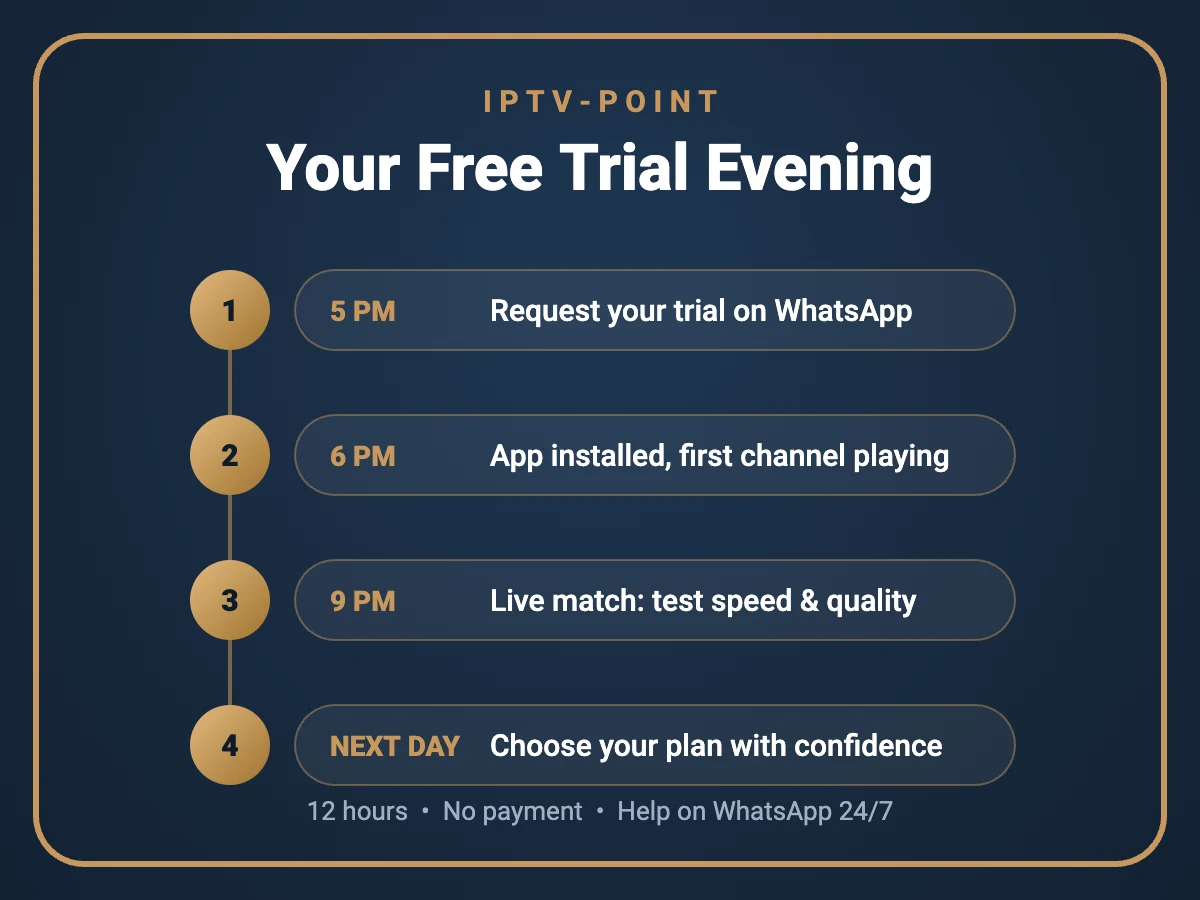
Yes. Request a free trial and test a live match on your own device before you choose a plan.
Can I watch on my phone while travelling?
Yes. Install an IPTV app on your phone or tablet and log in with your details. A mobile data connection of 10 Mbps or more works well for HD on small screens.
Find more answers on our IPTV FAQ page. To learn more about the technology behind internet TV, see the Internet Protocol television article on Wikipedia.
Conclusion
IPTV for sports gives fans a simple way to follow football, motorsport, American sports, combat sports and much more from one app on any screen. The key to a great experience is preparation: a stable connection, ideally wired, a capable device, a good player app and a quick check before every big game. Use the matchday checklist in this guide, choose the right quality for your speed, and keep our support team one message away.
Ready to see it for yourself? Start with a free trial, test a live match at home, and then choose the plan that fits your season.
Watch Your Next Match Live
Test IPTV for sports on your own TV, phone or Firestick before you buy.
Get a Free TrialAsk on WhatsApp