
No question matches your search. Ask us directly on WhatsApp, we reply 24/7.
01IPTV FAQ: Getting Started
New to IPTV? This first part of our IPTV FAQ explains what IPTV is, what is included and how to get started with IPTV-Point.
What is IPTV and how does it work?
IPTV (Internet Protocol Television) delivers live TV channels, movies and series over your internet connection instead of a satellite dish or cable. You install a player app on your TV, stick, phone or computer, enter the login details we send you, and the channels stream instantly.
Because everything comes through the internet, you can watch on several types of devices, switch between them and take your subscription with you when you travel.
What do I get with an IPTV-Point subscription?
Every plan includes the full service, whatever the length:
- 35,000+ live TV channels in SD, HD, FHD and 4K
- 140,000+ movies and TV series (VOD), updated every week
- TV guide (EPG) and Anti-Freeze technology
- Free installation assistance and 24/7 support on WhatsApp and Telegram
The only differences between plans are the duration (3, 6 or 12 months) and the number of devices that can stream at the same time.
How do I order an IPTV subscription?
Choose your plan on the subscription plans page and tap the order button. It opens WhatsApp with your plan already written in the message. Our team confirms the order, you complete the payment and we send your login details.
How fast is activation after payment?
Activation is instant. Your username, password and server URL (or M3U link) arrive by WhatsApp or email within minutes once your payment is confirmed, and you can start watching right away.
Can I test the service before buying?
Yes. We offer a 12-hour free trial so you can check the channels, picture quality and stability on your own device and internet connection before choosing a plan. Request your free trial on WhatsApp.
Is IPTV legal?
IPTV is a technology, and using it is legal. What matters is the content: always make sure the channels and programs you watch are allowed in your country. If you have any question about our service, our support team is happy to help.
02IPTV FAQ: Devices & Apps
IPTV-Point works on almost any screen. This section of the IPTV FAQ shows how to choose the right app and install it.
Which devices are supported?
Amazon Firestick and Fire TV, Samsung and LG Smart TVs, Android TV and Android boxes, Apple TV, iPhone, iPad, Android phones and tablets, Windows and Mac computers, MAG boxes and Enigma2 receivers. If your device can install an IPTV player app or open an M3U link, it will work.
Which IPTV app should I use?
It depends on your device:
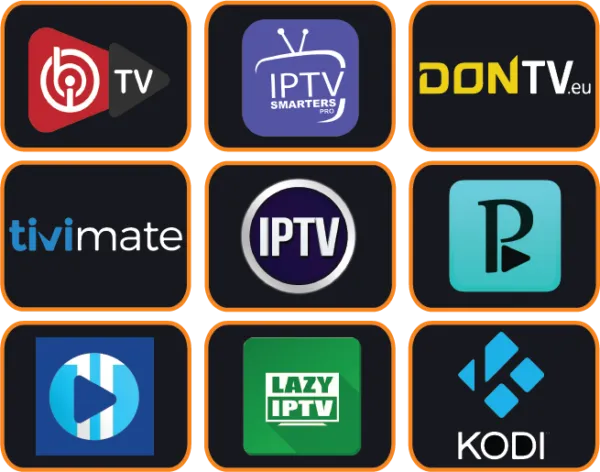
- Firestick & Android TV: TiviMate or IPTV Smarters Pro
- Samsung & LG Smart TV: IBO Player Pro, Flix IPTV or SET IPTV
- Apple TV, iPhone & iPad: iPlayTV or IPTV Smarters Pro
- Windows & Mac: IPTV Smarters Pro or Kodi
Bookmark this IPTV FAQ and see the full ranking in our top 10 IPTV apps guide.
How do I install IPTV on my Smart TV or Android box?
Install a player app from your TV's app store (or from Google Play on an Android box), open it and enter the login details we send you. Some Smart TV apps ask you to add your playlist on the app's website using the device ID or MAC address shown on screen.
Our IPTV setup guide has step-by-step instructions for each app, and our team can install it with you for free on WhatsApp.
What is the difference between Xtream Codes and an M3U playlist?
Both give you access to the same channels. Xtream Codes uses a username, password and server URL and automatically loads live TV, movies, series and the TV guide in separate sections. An M3U playlist is a single link that works in almost every player, including Kodi, VLC and Enigma2. When your app supports it, we recommend Xtream Codes.
Do I need a satellite dish or a special box?
No. You only need an internet connection and a device you probably already own: a Smart TV, a Firestick, an Android box, a phone, a tablet or a computer. No dish, no cables and no technician visit.
Can I install my subscription on several devices?
Yes. You can install the app on as many devices as you like. The number of devices in your plan (1, 2 or 3) is how many screens can play at the same time. If two people want to watch different channels simultaneously, choose a 2 or 3 device plan.
03IPTV FAQ: Plans & Payment
Prices, payment methods and renewals explained clearly in our IPTV FAQ, with no surprises.
Which plan offers the best value?
The 12 months plan offers the lowest price per month: one payment covers a full year of live TV, sports, movies and series. If you are new to IPTV, the 3 months plan is a low-cost way to start, and the 6 months plan is ideal for a full sports season.
What payment methods are available?
You can pay by credit or debit card, PayPal, cryptocurrency or bank transfer. All prices are in euros (€). Your account is activated right after your payment is confirmed.
Are there hidden fees or long-term contracts?
No. You pay once for the period you choose and there is no contract. Note that a few Smart TV player apps (such as SET IPTV or Flix IPTV) charge their own small activation fee after a free trial; that fee goes to the app developer, not to IPTV-Point, and apps like IPTV Smarters Pro are free.
What happens when my subscription ends?
Before your plan ends, simply message us on WhatsApp or Telegram to renew. You can keep the same plan, switch to a longer period or add more devices, and you keep the same app setup.
04IPTV FAQ: Streaming Quality
Get a smooth, sharp picture on every screen with these IPTV FAQ tips.
What internet speed is required for smooth IPTV streaming?
We recommend at least 15 Mbps for HD channels and 25 Mbps or more for 4K. If several devices stream at the same time, add the speed needed for each screen. A wired Ethernet cable or 5 GHz Wi-Fi gives the most stable picture.
Why does my stream buffer, and how do I fix it?
Buffering is almost always caused by the local connection or the device. Try these steps in order:
- Restart your router and your device
- Use an Ethernet cable or move closer to the router
- Clear the app cache or reinstall the player app
- Change the stream format in the app settings (TS or HLS)
- If your internet provider slows down streaming, try a VPN
Still buffering after the steps in this IPTV FAQ? Send us a message on WhatsApp and our team will check your line.
Does every channel play in 4K?
No. 4K is available on selected channels and titles, while most channels come in HD and FHD. To watch in 4K you need a 4K-compatible TV or device and a connection of 25 Mbps or more.
Does IPTV come with a TV guide (EPG)?
Yes. The Electronic Program Guide shows what is on now and next on your live channels, just like cable. It loads automatically with Xtream Codes. If the guide looks empty, refresh or update the EPG in your app's settings.
Do I need a VPN for IPTV?
A VPN is not required. Some customers use one for extra privacy or to avoid internet provider throttling, and our service works with all major VPN apps.
05IPTV FAQ: Channels & Content
What you can watch with IPTV-Point, answered in this IPTV FAQ section.
Can I watch channels from my country?
Yes. The channel list includes channels from the USA, UK, Canada, Europe, the Arab world, Africa, Latin America, Asia and more, organized by country so you find them quickly. Ask us on WhatsApp about channels from your country before you order; it is one of the most popular questions in our IPTV FAQ.
Is Video-on-Demand (VOD) available?
Yes. Every plan includes 140,000+ movies and TV series, updated every week, so you can watch whenever you want without waiting for a broadcast.
Are sports channels included?
Yes. Sports channels and live events are included in every plan, with the same quality and Anti-Freeze technology as the rest of the channel list. For big match days, a wired connection gives the most stable picture.
06IPTV FAQ: Account & Support
Help is always one message away. Anything this IPTV FAQ does not cover, our team answers on WhatsApp.
How do I contact IPTV-Point support?
The fastest way is WhatsApp at +44 7848 142760 or Telegram at @iptvplushelp. You can also use our contact page. Our team is available 24/7 for anything this IPTV FAQ does not cover.
Will I receive updates and support after purchasing?
Yes. Support continues for the whole length of your plan, and this IPTV FAQ is updated as new questions come in, and the channel list and VOD library are updated regularly at no extra cost.
Can you help me set up the app?
Yes. As this IPTV FAQ mentions above, free installation assistance is included with every plan. Tell us your device on WhatsApp and we will guide you step by step until your channels are playing.
IPTV FAQ Quick Fixes: 6 Common Problems Solved
Most support messages we receive are solved in under a minute. Before you write to us, try the quick fix from this IPTV FAQ that matches your problem.
“Invalid login” message
Check the username and password letter by letter, as they are case-sensitive. Copy the server URL exactly as sent, including http:// and the port number if there is one.
Channels do not load
Close the app completely, restart your device and open it again. If it still fails, refresh or re-add the playlist in the app settings so it downloads the latest channel list.
TV guide is empty
Open the app settings and update the EPG, then wait a minute for it to download. With an M3U playlist, make sure the EPG link we sent you is added too.
Sound out of sync
Switch the video decoder in the player settings between hardware and software, or try another player app. This fixes lip-sync issues on most TVs and boxes.
One channel freezes
If only one channel is affected while others play well, try its backup version in the list and tell us the channel name on WhatsApp so our team can check it.
Lost your login details
Search your email and WhatsApp for our welcome message. Still cannot find it? Message us on WhatsApp and we will resend your details in minutes.
Not on this list? The answers in each IPTV FAQ category above cover devices, apps, payments and streaming in more detail, and our team is ready on WhatsApp 24/7 if you prefer to talk to a person.
IPTV FAQ Glossary: Key Terms Explained
Many questions in this IPTV FAQ come from unfamiliar words. Here are the terms you will see in your player app, your welcome message and our setup guide, explained in plain English.



EPG (Electronic Program Guide)
The on-screen TV guide that lists what is playing now and next on each live channel. Most player apps load it automatically and let you browse the schedule for the coming days.
VOD (Video on Demand)
Movies and series you can start whenever you want, with pause, rewind and resume. With IPTV-Point the VOD library holds 140,000+ titles, updated every week.
Xtream Codes login
A login made of a username, a password and a server URL. Apps use it to load live TV, movies, series and the TV guide in neat separate sections.
M3U playlist
A single link that contains your whole channel list. It works in almost every player, including Kodi, VLC and Enigma2 receivers, which makes it the universal option.
MAC address / device ID
A unique code shown inside some Smart TV apps such as SET IPTV or IBO Player Pro. You enter it on the app's website to link your playlist to your TV.
Connections (devices)
The number of screens that can stream at the same time. A 1 device plan plays on one screen at once, while 2 and 3 device plans let the whole family watch different channels.
Anti-Freeze technology
Server-side optimisation that keeps streams stable and reduces freezing during busy moments, such as big live matches, when many people watch at once.
Buffering
A short pause while the player loads more video. It is usually caused by a weak Wi-Fi signal or a busy home network; the buffering answer in this IPTV FAQ lists the quick fixes.
4K / UHD
Ultra High Definition picture with four times the detail of Full HD. It needs a 4K TV or device and around 25 Mbps of stable internet speed.
Catch-up TV
A feature in apps like TiviMate and OTT Navigator that lets you watch programmes that already aired on supported channels, so you never miss a show.
Player app
The application that plays your subscription, such as IPTV Smarters Pro, TiviMate or Kodi. IPTV-Point provides the service; the app is simply the screen you watch it on.
VPN
A Virtual Private Network encrypts your connection for extra privacy and can help when an internet provider slows down streaming. It is optional and works with every plan.
Didn't find your answer in the IPTV FAQ?
Our team answers every question on WhatsApp and Telegram, 24/7.