Description
IBO Player Pro activation: Unlock the Full Player on Your Smart TV
IBO Player Pro is one of the most installed IPTV players on Samsung and LG Smart TVs, and it also runs on Android TV, Firestick, iPhone and iPad. The app gives you a short free trial; after that, a license is needed to keep using it. With IPTV-Point you can buy your IBO Player Pro activation for 1 year or for a lifetime, and our team activates your device quickly after payment.
In short: IBO Player Pro activation turns the trial version of the app into the full version on your device. You choose a 1 year or a lifetime license, send us the details shown in the app, and we take care of the rest. You keep the same app and the same settings, and you can add any IPTV playlist you like, including your IPTV-Point subscription. If you need help at any step, our team answers on WhatsApp and Telegram 24/7.
What you get with IBO Player Pro activation
- Full version of IBO Player Pro on your device, with no trial limits
- 1 year or lifetime license, you choose the option that fits you
- Fast activation by our team after your payment is confirmed
- Step-by-step help to find your device details and add your playlist
- Works with any M3U or Xtream Codes playlist, including IPTV-Point
- 24/7 support on WhatsApp and Telegram
- Prices in euros and several payment methods
1 Year or Lifetime: which IBO Player Pro license should you choose?
Both licenses unlock exactly the same features. The only difference is how long your IBO Player Pro activation stays valid.
| License | Price | Best for |
|---|---|---|
| 1 Year | €12 | Trying IBO Player Pro for a full year at the lowest upfront cost |
| Lifetime | €20 | Paying once and never thinking about renewals again on this device |
If you plan to keep the same TV or box for more than a year, the lifetime IBO Player Pro activation is usually the better value. If you are not sure the app is right for you yet, start with 1 year. A license is linked to the device you activate, so if you change your TV or box later, a new activation is normally required for the new device.
Devices supported by IBO Player Pro
- Samsung Smart TV (Tizen)
- LG Smart TV (webOS)
- Android TV and Android TV boxes
- Amazon Firestick and Fire TV
- iPhone and iPad
IBO Player Pro and the original IBO Player are two different apps from the same developer. When you order, simply tell us which one is installed on your TV so we activate the right app.
Key features of IBO Player Pro
- Clean, fast interface designed for TV remote controls
- Supports M3U playlists and Xtream Codes logins
- Separate sections for live TV, movies and series
- TV guide (EPG) for your live channels
- Several playlists in the same app
- Favourites and parental control with a PIN code
Once your IBO Player Pro activation is done, all of these features are available on your device for the whole length of your license.
How IBO Player Pro activation works, step by step
- Install IBO Player Pro from the official app store of your device and open it once.
- Note your device details: the MAC address and the device key shown on the start screen of the app. A photo of the screen is perfect.
- Choose your license (1 Year or Lifetime) on this page and tap Order on WhatsApp. Your message is written for you.
- Send us your device details in the same WhatsApp chat and complete the payment with the method you prefer.
- We activate your device and confirm on WhatsApp as soon as it is done.
- Restart the app. The license is now active and you can add your playlist.
Most customers have their IBO Player Pro activation completed within minutes during normal hours. If anything is unclear, send us a screenshot and we will guide you.
How to add your IPTV playlist after activation
IBO Player Pro is a player: it plays the playlist you add to it. After your IBO Player Pro activation, you can add your playlist in two ways:
- Xtream Codes: enter the username, password and server URL from your IPTV provider. Live TV, movies, series and the TV guide load automatically.
- M3U link: paste the playlist link you received. Some apps ask you to add it on the developer website using your device details.
Our IPTV setup guide explains each step with pictures, and our team can add the playlist with you for free.
Important: IBO Player Pro does not include channels
Like every IPTV player, IBO Player Pro does not come with channels, movies or series. The IBO Player Pro activation unlocks the app itself; the content comes from the IPTV subscription you add to it. If you do not have a subscription yet, IPTV-Point offers IPTV subscription plans with 35,000+ live channels, 140,000+ movies and series and 4K quality, available for 3, 6 or 12 months. You can order the player license and the subscription together in the same WhatsApp chat.
Why buy your IBO Player Pro activation from IPTV-Point
- One place for everything: player license, IPTV subscription and setup help from the same team
- Real people on WhatsApp who know IBO Player Pro and answer 24/7
- Clear prices in euros, with no hidden fees
- Free help to find your device details, activate and add your playlist
- Flexible payment: card, PayPal, cryptocurrency or bank transfer
Payment and delivery
Your IBO Player Pro activation is a digital service, so there is nothing to ship. After you order on WhatsApp, we confirm the price and the payment method, you complete the payment, and we activate your device. You receive a confirmation message as soon as the license is active. Keep this message: it contains your order details in case you need support later.
Troubleshooting after activation
- The app still shows the trial message: close the app completely and open it again, or restart the device.
- Wrong device details: check the MAC address or device ID again in the app and send us a new photo; we will correct it.
- The playlist does not load: check your IPTV login details and internet connection, then reload the playlist in the app settings.
- Empty TV guide: update the EPG in the app settings and wait a minute for it to download.
Still stuck? Message us on WhatsApp with a photo of the screen and we will solve it with you.
Who is IBO Player Pro for?
IBO Player Pro suits viewers who want a reliable, good-looking player on the big screen without technical setup. It is a good fit for families who share one TV, for sports fans who switch channels often, and for anyone moving from cable or satellite who wants a familiar TV experience.
If you watch mostly on a phone, a tablet or a computer, it also works well as long as the app is available for your device. The IBO Player Pro activation simply removes the trial limit so you can enjoy all of it without interruptions.
How to find your device details in IBO Player Pro
Before you order your IBO Player Pro activation, open the app and look for the device information. In most versions it appears on the first screen or in the settings menu, usually labelled as MAC address, device ID or device key. It is a short combination of letters and numbers.
Take a clear photo with your phone so every character is easy to read, because one wrong character means the license is applied to the wrong device. If you cannot find it, send us a photo of the app’s home screen and we will show you exactly where to look.
Tips for the best picture quality in IBO Player Pro
- Use a wired connection or 5 GHz Wi-Fi for TVs and boxes; it makes live sports much smoother.
- Keep the app updated from the official store so you always have the latest fixes.
- Choose the right stream format in the player settings if a channel stutters (try TS or HLS).
- Restart your router and device once in a while, especially before big live events.
- Plan around 15 Mbps for HD and 25 Mbps or more for 4K channels.
Your privacy and security
To complete your IBO Player Pro activation we only need the device details shown in the app. We never ask for the password of your TV, your app store account or your email. Your device details are used only to activate your license and to help you if you contact support later. Payments are handled through the method you choose, and you receive a written confirmation for every order.
Renewing your IBO Player Pro license
If you choose the 1 year license, we can remind you before it expires so your app never stops working in the middle of a show. Renewing is as simple as the first order: send us a message on WhatsApp, confirm your device details and complete the payment. If you prefer not to think about renewals at all, the lifetime IBO Player Pro activation is the simplest option.
IBO Player Pro activation glossary
- Trial period: the free days the developer gives you to test the app before a license is needed.
- MAC address / device ID: the unique code that identifies your device inside the app.
- Playlist: the list of channels, movies and series from your IPTV provider, added as an M3U link or Xtream Codes login.
- EPG: the electronic TV guide showing what is on now and next.
- Lifetime license: a one-time payment that keeps the app active on the activated device without yearly renewals.
Support from real people, 24/7
Every IBO Player Pro activation ordered from IPTV-Point comes with human support. Message us on WhatsApp at +44 7848 142760 or on Telegram at @iptvplushelp, day or night. We help with installation, activation, playlists, picture quality and anything else related to your player, so you are never left alone with a technical problem.
A quick tour of IBO Player Pro
When you open IBO Player Pro after activation, the home screen shows your main sections: live TV, movies and series. Live TV is organised by groups, usually by country or category, so you can jump straight to sports, news or kids channels. Inside each group the channel list appears next to a preview, and the TV guide shows what is on now and what comes next.
Movies and series have their own pages with posters, descriptions and seasons, so browsing feels like a streaming service. Settings let you change the language, the player options and the playlist, and you can come back to them whenever you want.
Common mistakes to avoid with your IBO Player Pro activation
- Sending the wrong code: the MAC address or device ID must come from the app installed on the device you want to activate, not from another TV or phone.
- Mixing up similar apps: several players have similar names or logos. Check the exact app name on your screen before ordering.
- Installing from unofficial sources: always download IBO Player Pro from the official store of your device, so updates and activation work correctly.
- Expecting channels from the app: remember that the player needs an IPTV subscription to show content.
- Skipping the restart: after activation, close the app completely and open it again so the license is detected.
Avoiding these small mistakes makes your IBO Player Pro activation quick and stress-free. If you are unsure about any detail, send us a photo first and we will confirm everything before you pay.
Watching sports and live events with IBO Player Pro
Live sports are where a good player makes the biggest difference. With IBO Player Pro you can open a match in seconds from your favourites, check the TV guide to see kick-off times, and switch between channels quickly during busy evenings.
For the smoothest picture, connect your TV or box with a cable, keep the app updated and close other apps that use the internet at the same time. Combined with a stable IPTV subscription, your IBO Player Pro activation gives you a reliable setup for every big game of the season.
What our team checks before your IBO Player Pro activation
Before we apply your license, a member of our team checks three things with you. First, that the app on your screen is really IBO Player Pro and that it is the latest version from the official store.
Second, that the device details you sent match the device you want to activate, character by character. Third, that you chose the right license, 1 year or lifetime, for how long you plan to keep this TV or box. These quick checks take less than a minute, and they are the reason most of our customers get their IBO Player Pro activation right the first time.
After the license is active, we stay available on WhatsApp in case you want help adding your playlist, organising favourites or improving picture quality. You can also ask us for advice about the best internet settings for your home, or about which IPTV subscription plan fits the number of screens in your family.
IBO Player Pro or another IPTV player?
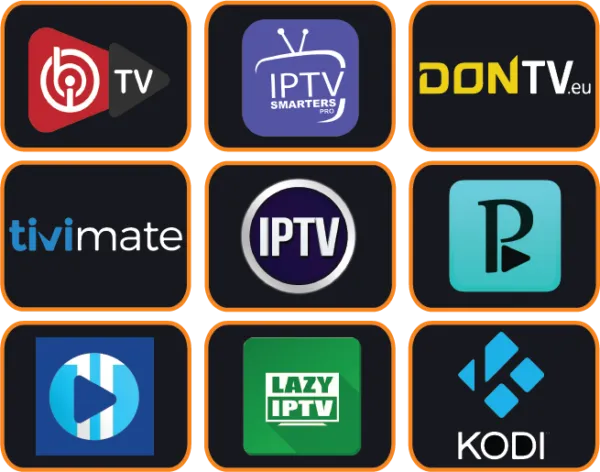
IBO Player Pro is a strong choice on the devices listed above, but every home is different. IPTV-Point also offers Vivo Player activation, Cap Player activation, Hot Player activation, TiviMate Premium activation. Not sure which player fits your TV or box? Read our top 10 IPTV apps comparison or ask us on WhatsApp for a quick recommendation.
IBO Player Pro activation: frequently asked questions
Is the IBO Player Pro activation for one device?
Yes. Each IBO Player Pro activation is linked to one device. If you want IBO Player Pro on two TVs, order two activations.
How long does the IBO Player Pro activation take?
Usually a few minutes after your payment is confirmed and we receive your device details. We message you as soon as it is done.
What is the difference between the 1 year and lifetime license?
Only the duration. Both unlock the same features of IBO Player Pro. The lifetime license does not need to be renewed on the activated device.
Does the IBO Player Pro activation include IPTV channels?
No. The license unlocks the player only. To watch channels you need an IPTV subscription, which you can order from our subscription plans.
Can I use my current IPTV subscription with IBO Player Pro?
Yes. After your IBO Player Pro activation you can add any M3U playlist or Xtream Codes login from your provider.
What if I change my TV or box?
The license stays on the activated device. A new device normally needs a new activation. Ask us on WhatsApp and we will tell you the options.
Which payment methods can I use?
Card, PayPal, cryptocurrency or bank transfer. Prices are in euros (€).
Can you help me install IBO Player Pro?
Yes. Free help is included with every IBO Player Pro activation: we guide you from installing the app to watching your first channel.
Order your IBO Player Pro activation now
Choose 1 Year or Lifetime above and tap Order on WhatsApp, or send us a message directly. Our team is online 24/7 and will activate your IBO Player Pro quickly.
IBO Player Pro is developed by an independent company. IPTV-Point sells activation licenses and support; app names and logos belong to their respective owners.
Reviews
There are no reviews yet.